Python tarfile: Keep Partial Extractions Out of Your Data Pipeline
tarfile raises a filter error, but a readable CSV is already sitting in the folder your next job watches. How do you keep that half-finished file from being processed?
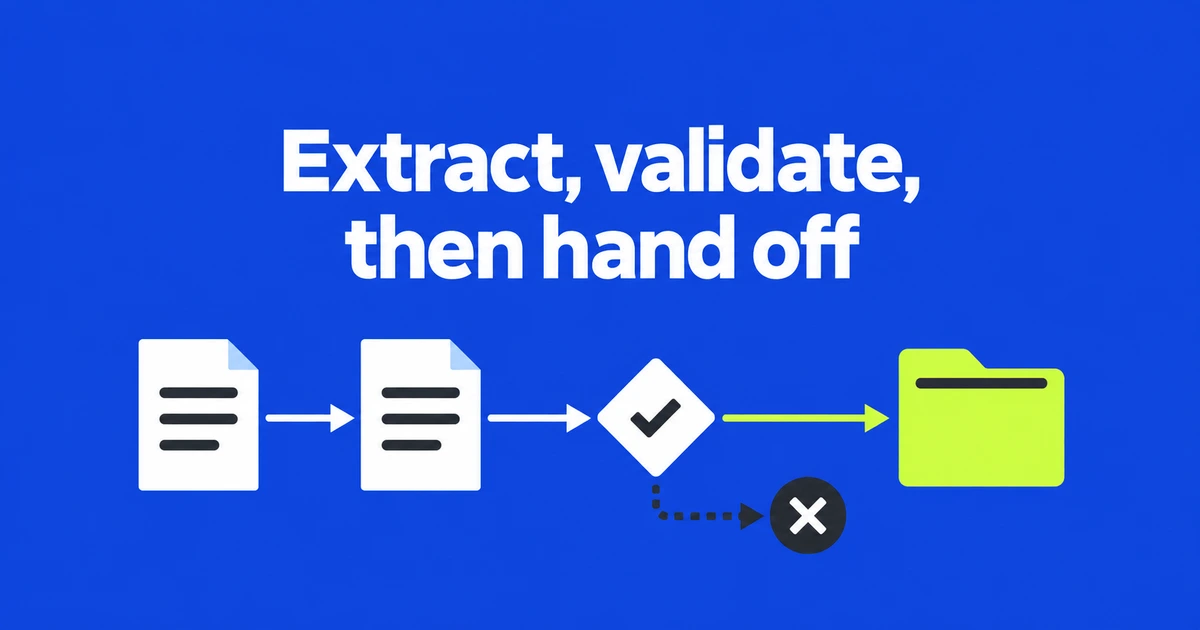
A failed archive extraction can still leave a readable CSV behind. If the next automation step starts whenever that filename exists, it can process an incomplete delivery. The fix is to make the final input path appear only after extraction and application checks succeed, rather than writing directly into the directory the next step watches.
This responsibility appears in real software. FastEmbed's model-management code explains that its decompression function does not delete a cache directory on failure because the directory may contain unrelated data. The caller handles partial-extraction cleanup. A fresh directory per incoming bundle gives the caller something it can clean up without deleting another job's files. FastEmbed's cache extraction code
What a filter error leaves behind
Archive members are extracted in sequence. A valid CSV can be written before a later symbolic link triggers an exception. Python's tarfile documentation explicitly allows partial extraction after an error; cleanup belongs to the application. The extraction operation does not roll earlier writes back as a transaction. Extraction filters
The data filter, which became the default in Python 3.14, rejects certain dangerous features, including links to absolute or out-of-destination paths. It cannot know that your report requires a manifest, a particular CSV header or exactly the declared number of rows. Those are properties of the application format, so they need a second stage of checks.
Our reproduction placed rows.csv and manifest.json before an absolute-path symlink. Extracting directly with the data filter raised AbsoluteLinkError but left both regular files behind. Even a check that both required filenames exist would miss the failed extraction. The pipeline must respect the exception as well as inspect the resulting contents.
A small, explicit input contract
This example accepts completed local, uncompressed .tar files from a known producer. Both the archive size and the total declared payload size are limited to 1 MiB. The only permitted members are two top-level regular files, manifest.json and rows.csv. Directories, links, duplicate names and additional files are rejected. The CSV must contain between one and 1,000 data rows. These limits belong to the example, not to Python defaults.
rows.csv
item_id,units
A01,12
B02,34

manifest.json
{"row_count": 2}
The manifest declares the row count excluding the CSV header. The CSV supplies unique, nonempty item identifiers and nonnegative integer unit counts. Reading this valid bundle produces two rows and a total of 46 units. The manifest checks delivery consistency; it does not authenticate the producer, since someone able to replace both files could change both values.
The format is deliberately uncompressed tar. Supporting .tar.gz also requires decisions about the compressed stream and its integrity checks. Large model caches and anonymous uploads need different resource and trust arrangements. Here the bounded input lets us demonstrate the complete extraction-to-handoff path for a small scheduled report.
Extract, validate and publish the directory
The following code uses the Python 3.14 standard library. The destination's parent directory must already exist and be controlled by this job. One writer owns a fresh destination name, and the downloaded input does not change during processing. Save it as bundle_gate.py.
from pathlib import Path
from tempfile import TemporaryDirectory
import csv
import json
import tarfile

LIMIT = 1024 * 1024
REQUIRED = {'manifest.json', 'rows.csv'}


def accept_bundle(archive, destination):
    """Small uncompressed .tar, trusted parent, one writer, new destination."""
    archive, destination = Path(archive), Path(destination)
    if destination.exists() or destination.is_symlink():
        raise FileExistsError(destination)
    if archive.stat().st_size > LIMIT:
        raise ValueError('archive exceeds 1 MiB')
    seen, total = set(), 0

    def checked(member, path):
        nonlocal total
        filtered = tarfile.data_filter(member, path)
        if not member.isfile() or member.name not in REQUIRED:
            raise ValueError('unexpected member')
        if member.name in seen:
            raise ValueError('duplicate member')
        total += member.size
        if member.size < 0 or total > LIMIT:
            raise ValueError('payload exceeds 1 MiB')
        seen.add(member.name)
        return filtered

    with TemporaryDirectory(prefix='.extract-', dir=destination.parent) as tmp:
        staged = Path(tmp) / 'payload'
        staged.mkdir()
        with tarfile.open(archive, 'r:') as bundle:
            bundle.errorlevel = 2
            bundle.extractall(staged, filter=checked)
        if seen != REQUIRED:
            raise ValueError('required file missing')
        manifest = json.loads((staged / 'manifest.json').read_text(encoding='utf-8'))
        if not isinstance(manifest, dict):
            raise ValueError('manifest must be an object')
        count = manifest.get('row_count')
        if type(count) is not int or not 1 <= count <= 1000:
            raise ValueError('row_count must be 1..1000')
        rows, units, ids = 0, 0, set()
        with (staged / 'rows.csv').open(encoding='utf-8', newline='') as f:
            reader = csv.DictReader(f)
            if reader.fieldnames != ['item_id', 'units']:
                raise ValueError('CSV columns must be item_id,units')
            for row in reader:
                if None in row or not row['item_id'] or row['item_id'] in ids:
                    raise ValueError('invalid or duplicate item_id')
                value = row['units']
                if value is None or not value.isascii() or not value.isdecimal():
                    raise ValueError('units must be nonnegative integers')
                ids.add(row['item_id'])
                units += int(value)
                rows += 1
                if rows > 1000:
                    raise ValueError('too many rows')
        if rows != count:
            raise ValueError('row count mismatch')
        staged.rename(destination)
    return {'rows': rows, 'units': units}
The custom filter first applies data_filter, then enforces the two permitted regular filenames. A duplicate is an error because a later member could overwrite an earlier one. Declared member sizes are added before extraction, allowing an oversized payload to be rejected before its bytes are written. PEP 706 describes custom filters as a way to add these application-specific restrictions. PEP 706
Setting errorlevel to 2 also turns tarfile's nonfatal extraction errors into exceptions. ValueError from our own checks propagates out as well. Do not catch either kind of error and then continue down the success path: that would allow the next step to run after a rejected delivery.
After extraction, the function requires the exact file set. It parses the manifest and requires an integer count between one and 1,000. It then verifies the CSV header, checks identifiers and quantities, rejects extra fields, and counts the rows actually read. A final comparison catches a valid-looking CSV whose delivery was incomplete.
Only then does the function rename the payload directory to the final destination. Staging beneath the destination's parent keeps that rename on the same filesystem in this arrangement. The downstream consumer reads only the final name and ignores .extract- directories, so it does not observe files while extraction or content checks are still running. Path.rename
If an exception unwinds the with block, TemporaryDirectory removes that job's staging area. On success, the payload has moved out and the empty outer temporary directory is removed. This covers normal control flow and exception handling, not recovery from power loss or a forcibly killed process. It also avoids deleting a shared cache to clean up one failed input. TemporaryDirectory
Observed results for valid and rejected inputs
We ran the function on Python 3.14.4 with generated local fixtures. The valid fixture contained the two files shown above. The unsafe-link fixture appended an absolute-path symlink; the missing-file fixture contained only the CSV. The tests used the same file and row rules enforced by the function.
| Input | Observed result | Final directory |
|---|---|---|
| Two valid files | Returned 2 rows and 46 units | Created with both files |
| Valid files followed by an absolute symlink | AbsoluteLinkError | Absent |
| No manifest.json | Required-file error | Absent |
| Manifest declares 3 rows; CSV contains 2 | Row-count error | Absent |
| Duplicate rows.csv member | Duplicate-member error | Absent |
| First column named item instead of item_id | Column validation error | Absent |
We also exercised both size limits. An archive larger than 1 MiB was rejected before staging began. A small tar header declaring a member larger than 1 MiB was rejected by the custom filter. The staging directory was removed after each failed case. When the destination already contained keep.txt, the function raised FileExistsError and preserved that file.
Direct extraction left both required files in the final directory before the link error. With staging, the same error left no final directory, and the two files were removed with the temporary directory. A consumer that opens only the final path therefore receives neither of those partial results.
Start the consumer only after the function returns
To build the normal example, create a sample directory and save the two input files shown above inside it. Append the following call to bundle_gate.py so running the file actually processes one bundle:
print(accept_bundle("incoming/report.tar", "accepted/report-20261026-01"))From the directory containing sample and bundle_gate.py, run these commands. Naming the two members explicitly keeps the archive in the flat layout accepted by the validator.
mkdir -p incoming accepted
tar -cf incoming/report.tar -C sample rows.csv manifest.json
python3 bundle_gate.py
The terminal prints a summary containing rows equal to 2 and units equal to 46. In an existing program, import accept_bundle and use its returned summary after the same checks. Only after that return should the reporting step open accepted/report-20261026-01/rows.csv.
An exception records a failed delivery and prevents the consumer from starting. Missing files or row mismatches require a corrected bundle from the producer; extracting the same incomplete input again will not make it valid. If a new download is needed, finish receiving it before processing and give the retry its own destination name. Existing successful outputs then remain intact.
When connecting this function to an existing scheduler, use the run identifier in the output name and prevent two jobs from claiming the same destination. The existence check and rename are separate operations, so another writer could intervene between them. Record the outcome of each subsequent report, email or database operation separately: those steps can fail after the file handoff succeeds.