Zero Coding Experience, Three Weeks to a Family ERP
A history graduate with no coding experience spent three weeks building an ERP for the family shops with Claude. What did an uncle's 15 days of bug-report phone calls change?
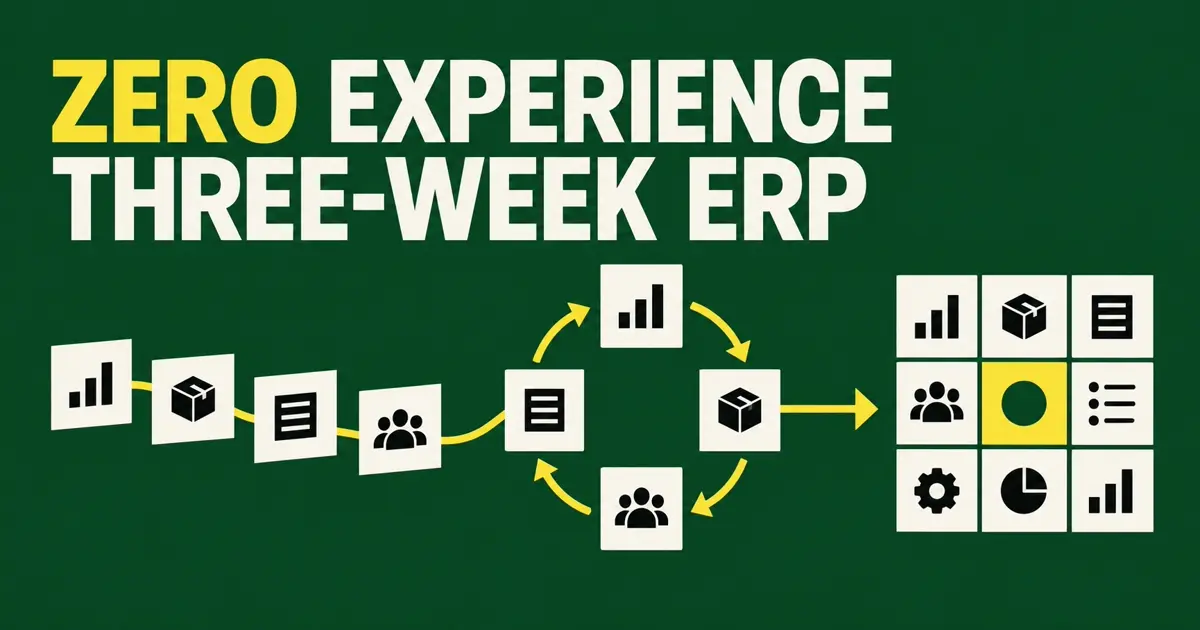
- A history graduate with no coding experience used Claude for three to four hours a day and produced a working family-business ERP in three weeks.
- The decisive input was 15 days of daily bug reports and feature requests from an uncle running a barbershop.
- Nondevelopers have an advantage when they know the workflow, but accounting, payments and sensitive records should remain in proven systems of record.
The family ran small businesses across several trades: a barbershop, a clothing store, meal delivery for workers and real estate brokerage. Their ERP products created the same frustration. They were expensive and bloated, yet still missed the functions each shop needed.
A history graduate with a master’s degree and no coding experience decided to build a family ERP with Claude. The first interface borrowed ideas from business simulation games and screenshots of existing systems. For three to four hours a day, the builder generated code, ran it in PowerShell, returned the output and errors to Claude, and repeated the cycle.
After three weeks, the system worked. The more important development period began next.
Fifteen days of phone calls became the product specification
An uncle who ran a barbershop became the first user. He used the system during real work for 15 days and called every day with bugs and tasks he had needed but could not complete.
| Evidence from the shop | Product decision it creates |
|---|---|
| A task that could not be completed today | Priority for the missing feature |
| Repeated failure at the same step | A critical path to repair |
| Information written separately on paper | A missing field or report |
| Questions employees keep asking | A reason to change screen order or copy |
| Numbers recalculated at closing | A calculation and validation rule |
The first prompt produced screens. Real use produced business rules. Without those 15 days, the project could easily have stopped at an attractive dashboard.
The nondeveloper advantage was access to the work
The notable part of the story is not only that Claude generated ERP code. The builder had daily access to the first user, and that user could describe the business precisely.
In a similar case, an operations director at a furniture factory already lived in the gap between its ERP, accounting software, Excel workbooks and the shop floor. The director was not a programmer, but understood what each department had to build and where schedules failed. A production tool built over one month became something the office and factory floor used every day.
Another nondeveloper combined customer registration, credit analysis, document processing and API integrations into an internal platform. The useful knowledge was the path of the work: which information arrives, who checks it and where it goes next.
Domain knowledge is not decoration for a prompt. It is the standard for detecting what is missing, ordering features and deciding whether the output matches reality.
A custom workflow tool is not automatically a financial system of record
The family’s reported subscription savings and continued use matter. They do not make every function equally safe to rebuild.
| Good candidates for a custom tool | Keep in a proven system of record |
|---|---|
| Store schedules and work status | Card payments and refund ledger |
| Repetitive reports and unified views | Tax books and filing records |
| Moving data between existing systems | Payroll and withholding records |
| Custom input screens for employees | Identity, permissions and audit logs |
| Alerts, lookups and workflow automation | Original records requiring retention and recovery |
The safer architecture does not replace accounting, payment and identity systems. Those products retain the authoritative record while the custom layer improves input, visibility and repetitive operations.
Maintenance starts after week three
One freight-forwarding operator described a custom Claude-built ERP that grew into a single HTML file of more than 3,000 lines. Even a small change required loading the whole file, reportedly consuming 60,000 to 80,000 tokens per message. The product worked, but its architecture made each next change expensive.
- Decide where data lives and how it is backed up every day.
- Define which records each employee can see and change.
- Name the accounting, payment or customer system that owns the authoritative record.
- Test how to restore the previous state after a failure.
- Keep documentation and administrator access that survive the builder’s absence.
- Run critical user-path tests before every feature release.
Asking an AI to perform a security review is not equivalent to testing those controls. Permissions must be exercised with real accounts, backups restored, and financial totals reconciled against the system of record.
A useful first user reports failures, not feature ideas
Ask users what they want and they tend to name features they have seen elsewhere. Put the product into real work and they reveal the blocked task, wrong total and confusing control. The second form is a better specification.
The three-week build is the headline. The 15 days of calls explain the result. Claude supplied implementation speed; the shop owner supplied the reality the product had to match.
A nondeveloper’s strongest starting point is not a giant app idea. It is one real workflow close enough to observe and one user willing to report every wrong result.
Frequently asked questions
Can someone with no coding experience build an ERP with AI?
A nondeveloper can build a narrow internal tool for schedules, work status and reporting. Replacing payment, tax, payroll and sensitive-record systems requires separate security, audit, recovery and professional review.
What made this three-week ERP useful?
A barbershop owner used it in real work for 15 days and reported bugs and missing tasks every day. Those failures determined the product priorities more than the initial prompt did.
What is a good first AI-built business tool?
Choose a workflow the builder already understands and a first user who is available every day. Integrating existing systems or reducing repeated entry, alerts and reports is safer than rebuilding the financial system of record.
Does a small family tool need backups and permissions?
Yes. Even a small user base needs role-based access, scheduled backups, a tested restore process and administrator succession when the tool contains customer or revenue data.