RTX 5070 Ti PSU: Keep 750W or Buy an 850W ATX 3.1 Unit?
Your new card lists an 850W PSU recommendation, but NVIDIA lists 750W for the GPU family. Which rating and cable requirements decide whether your current supply can stay?
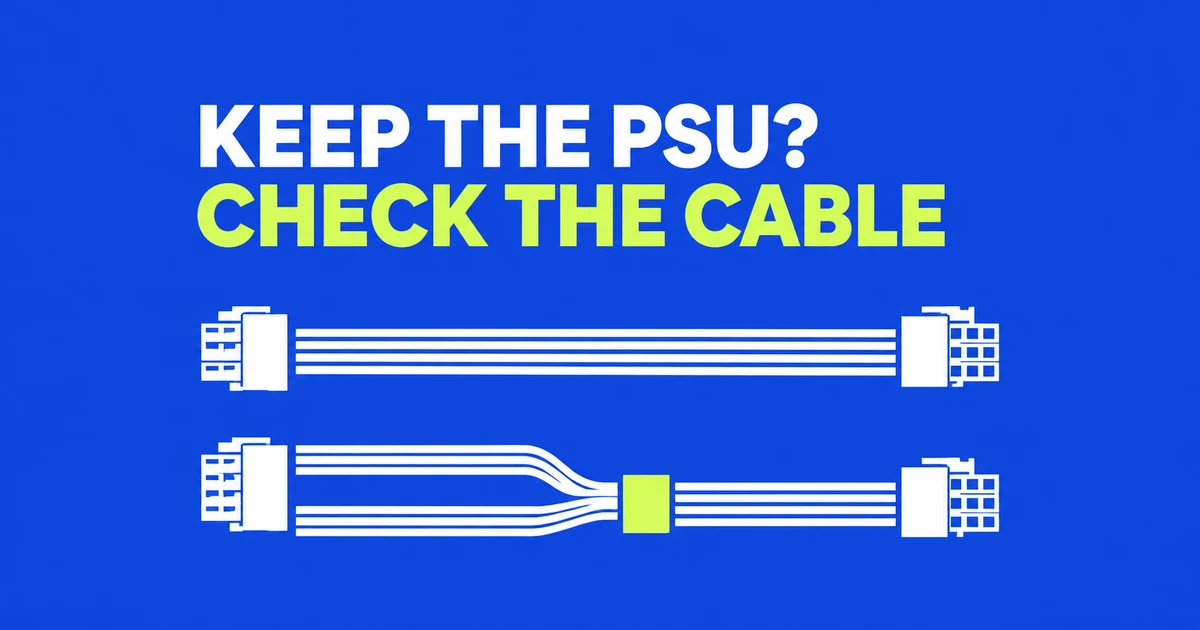
- An existing 750W supply stays a candidate when it meets the exact card's recommendation and the system's requirements, with an approved cable connection. Some RTX 5070 Ti models specify 850W.
- For a new purchase, compare suitably rated ATX 3.1 units with the required cable. An existing ATX 3.0 supply needs a model and compatibility check rather than replacement based on the version number alone.
- A direct GPU cable can use two modular 8-pin plugs at the PSU end. That is a different connection from feeding a graphics-card adapter with ordinary PCIe power leads.
Keeping a power supply through a GPU upgrade involves two decisions: whether it supplies the required system power, and whether the manufacturer supports the intended cable connection. Buying a larger supply resolves neither question automatically. The exact graphics-card model and the exact PSU model give the comparison a usable starting point.
For RTX 5070 Ti, this matters before choosing between 750W and 850W. NVIDIA's family specification and a board partner's finished-card specification can list different recommendations, with different system assumptions. Check the card you are buying, then decide how the existing supply fits that build.
Which recommendation applies to the card in your cart?
NVIDIA's power specification lists 300W total graphics power and a 750W system requirement for RTX 5070 Ti. Its system-power footnote uses a Ryzen 9 9950X PC. The GPU power figure describes the graphics card; the PSU recommendation concerns the computer.
| Specification checked October 30, 2026 | Recommended system PSU | Connection or stated condition |
|---|---|---|
| NVIDIA RTX 5070 Ti reference specification | 750W | Two PCIe 8-pin cables with the adapter, or a PCIe Gen5 cable rated for at least 300W |
| ASUS TUF-RTX5070TI-O16G-GAMING | 850W | One 16-pin socket; a one-to-three adapter included. Recommendation based on fully overclocked GPU and CPU |
| GIGABYTE GV-N507TWF3OC-16GD | 750W | One 16-pin socket; a 12V-2x6 to two PCIe 8-pin adapter included |
The TUF and Windforce products are both factory-OC models, but their published PSU recommendations differ. Treat the full product code as part of the requirement. For a new purchase, meeting the chosen card's recommendation avoids substituting the family baseline for the board partner's system assumptions.
A more demanding CPU configuration also belongs in that decision. MSI's RTX 50 PSU guide places the Ti at 750W or more for standard gaming, and 850–1000W for a high-end CPU or overclocking. These are different build categories, rather than a universal instruction to buy 1000W.
A direct cable does not need a 16-pin plug at both ends
One source of unnecessary PSU replacement is the assumption that a direct GPU cable needs a matching 16-pin socket on the supply. Manufacturers also offer cables with two PSU-side modular 8-pin plugs and one GPU-side 16-pin plug. Such a cable runs from supported PSU sockets straight to the card, without the card's intermediate adapter.
That differs from using the GPU's bundled adapter. In the latter arrangement, PCIe power leads from the supply plug into the adapter, which then connects to the card. The two cards in the table even bundle different adapter configurations, so the connection plan belongs to the exact product.
CORSAIR CP-8920284 illustrates the direct option: two modular PSU plugs feed a GPU connector rated for up to 600W. Its support is specifically for Type-4-compatible CORSAIR supplies. That provides a potential cable upgrade for a supported supply, rather than establishing compatibility with every PSU bearing the same brand.
CORSAIR's connector explanation distinguishes its Type 4/5 PSU-side 8-pin connection from the PCIe 6+2-pin connection used at a graphics card or adapter. Counting eight contacts on each does not make their ratings and intended uses interchangeable. Identify which end a cable was designed to connect before choosing it.
For an older PSU, check the supported series and available ports
The cable compatibility list can be more specific than the product family on the PSU label. Seasonic's two-8-pin 12V-2x6 cable requires two available PSU connectors, with both plugs connected. It lists supported series and excludes FOCUS Gold and FOCUS GM.
Its cable support for specified supplies rated at 650W and above is a cable-compatibility condition. It does not recommend a 650W supply for an RTX 5070 Ti system. The card's system requirement still applies after finding a cable that fits the manufacturer's support list.
This gives an existing-owner purchase sequence. Establish the card and system wattage requirement, identify the PSU by model, then find an approved direct cable or the supported bundled-adapter route. If neither route is available, PSU replacement becomes part of the build cost. Borrowing a modular lead from an unrelated supply does not establish that support.
Cable power ratings also remain separate from PSU capacity. CORSAIR's cable explanation notes that some lower-wattage ATX 3.1 products include a 450W cable, while its individual cable offerings cover up to 600W. A 16-pin shape does not identify every cable's rating, and a 600W cable does not increase the supply's total output.
ATX 3.1 is a useful new-buy criterion; ATX 3.0 already addresses excursions
When buying from scratch, a suitably rated ATX 3.1 unit offers a current starting point for the GPU connection and brief load increases. The version number does not mean that an existing ATX 3.0 unit lacks transient-load provisions. Seasonic's standards comparison includes an instantaneous peak-power provision for both versions.
The updated 12V-2x6 socket is one of the changes associated with ATX 3.1. MSI's connector support note explains the insertion-detection change and compatibility with existing 12VHPWR cables. A supported cable does not become unusable just because the newer socket has a different name.
That compatibility answers the connector question. The PSU's output, supported wiring, and the intended system still determine whether the complete setup meets requirements. An existing 850W ATX 3.0 supply that satisfies those conditions has a stronger case for staying than a version-label comparison suggests.
What 750W and 850W tell you about load and electricity use
The PSU supplies the CPU, motherboard, memory, drives and fans as well as the graphics card. Its wattage rating describes output capacity. The Ti's 300W graphics specification cannot stand in for the entire PC's load.
For an illustrative 500W DC load, a 750W unit operates at about 66.7% of its rating; an 850W unit operates at about 58.8%. This calculation describes the remaining capacity under that assumed load. To size an actual build, use its CPU, card, other components and intended settings in the manufacturer's selection tool.
Electricity use adds another quantity: conversion efficiency. With an illustrative 450W DC output at 90% efficiency, wall input is 500W and the difference is 50W of conversion loss. The assumed efficiency is part of that example. A Gold label does not fix every load point at 90%.
80 PLUS defines energy-efficiency certification, while CORSAIR's selection guide explains how efficiency changes with load. Gold is therefore a separate shopping column from output wattage, ATX version and cable rating. Comparing those columns prevents an efficiency badge from answering a connector or capacity question.
Finish the choice with the cable route and complete build cost
Case fit includes space for the power connection beside the card. Seasonic's installation guidance calls for fully seated, latched connectors and avoiding force or sharp bending near the plug. Plan that route before treating the side panel as the final step of the upgrade.
For a modular supply, lay out the complete connection plan before ordering a replacement cable. Identify the CPU and GPU connections already in use, then count the available sockets required by the manufacturer's direct GPU cable. A two-plug cable requires two suitable free connections even though only one plug reaches the graphics card. Match the cable's listed PSU compatibility separately from the connector on the card. This makes an existing-unit comparison concrete: the same wattage on two PSU labels does not show which approved cable and socket combination each one offers.
For a card and system that specify 750W, an existing compliant supply with an approved cable route remains a candidate. For the 850W-recommended TUF model, start a new purchase shortlist at the applicable 850W requirement. High-end CPU settings or overclocking warrant checking the complete system against the higher recommendations.
Include any required cable purchase in the cost of keeping the old PSU. Include the appropriate cable and physical routing in the cost of replacing it. The useful upgrade is the one that meets the selected card's power and connection requirements together.