Can Outlook Recall an External Email? Where Undo Send Fits
You clicked Recall on an email with the wrong attachment, and Outlook says the request went out. How do you tell whether the client’s copy is actually gone?
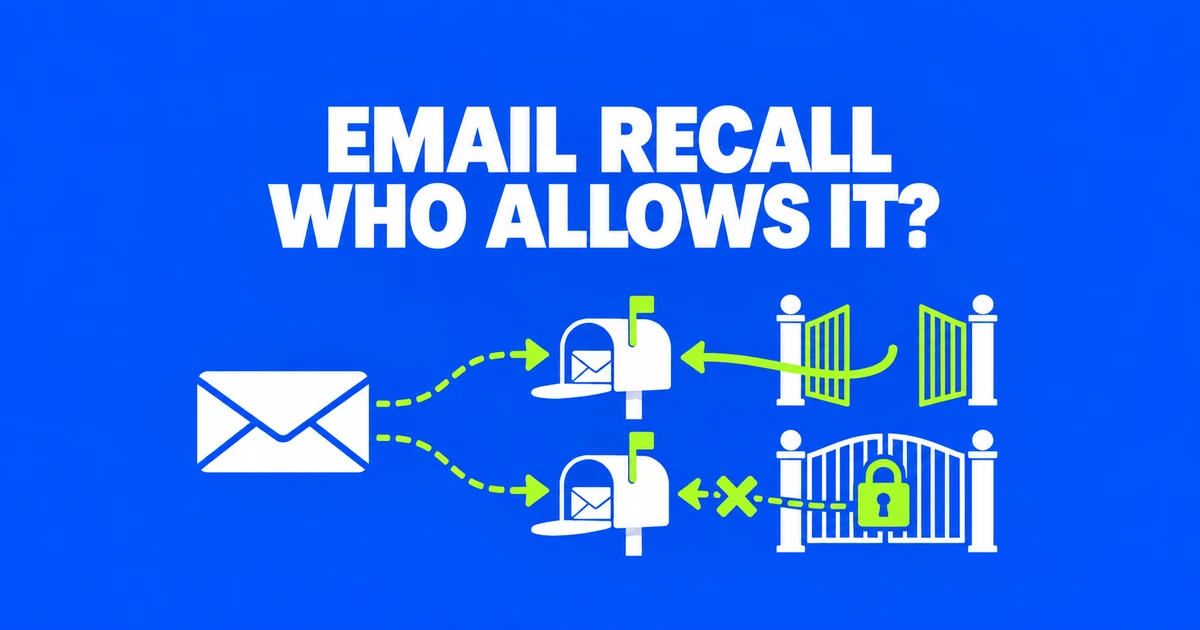
- External Outlook recall requires Exchange Online and explicit permission from the receiving organization; it does not cover arbitrary internet recipients.
- Gmail Undo Send and Outlook’s client-specific send delays provide a short cancellation window, not a later guarantee of removal.
- Check recall results for each recipient and send a clear correction when the wrong information could still be used.
External recall depends on the receiving organization
Outlook can request the removal of an email sent to another Exchange Online organization when that organization has enabled cross-tenant recall and explicitly allowed the sender’s tenant. That does not extend recall to Gmail, personal Outlook.com mailboxes, or arbitrary internet recipients. Cross-tenant recall is off by default. A Microsoft 365 subscription on both sides is not, by itself, permission to remove the message.
The Exchange Online documentation places control with the receiving tenant, the administrative organization that owns the recipient’s mailbox. Suppose a supplier sends a revised quote to a customer. For the supplier to recall it, the customer’s administrator must have enabled the feature and allowed the supplier’s tenant ID. Enabling something in the supplier’s own organization does not grant control over the customer’s inbox.
The reverse direction needs its own permission. If the customer sends a purchase order to the supplier, the supplier’s receiving configuration determines whether the customer can recall it. This matters for companies with separate subsidiaries or Microsoft 365 environments: a familiar company name does not establish a shared tenant or a reciprocal arrangement.
A discussion among Office365 users raised both receiving-side consent and the usefulness of recall across multiple tenants. A colleague with the same company name in their signature can still have a mailbox in another tenant. Recalling a message sent to that colleague then depends on the receiving tenant’s cross-tenant permission.
Submit the request from the original sent message
In new Outlook or Outlook on the web, open Sent Items and double-click the original message to open it separately. Select Recall Message from the ribbon and confirm. The Outlook instructions also describe classic Outlook: open the message, then use Message, Move, More Move Actions, and Recall This Message. With the simplified ribbon, select Message, More commands, Actions, then Recall This Message.
Choose the message by its sending account, recipients, time, and attachment. If you sent two similar quotes, recalling yesterday’s draft will not withdraw today’s incorrect version. Keeping the original open while checking these details reduces that ambiguity. A replacement option, where offered, requires you to finish composing and send the corrected message as well.
On Mac, recall requires Outlook 16.94, build 25010522, or later and is unavailable in legacy Outlook. Open the sent message and select Recall. On Outlook for Android or iOS, open the sent message, select the three-dot menu, and choose Recall. These controls submit a request; switching devices does not make an otherwise ineligible recipient eligible.
If the command is missing, give IT the account type, Outlook version, sending time, and recipient information. An Outlook window can contain a personal account as well as a work account. Microsoft also lists Online mode and multiple Exchange accounts in one Outlook for Windows profile as configurations where cloud recall does not work. IT can check the sending mailbox, profile configuration, and organization’s recall setting.
Recipient results and replacement messages
The report email links to recipient-level results. Check who succeeded, who failed, and who is still pending. The service can continue trying for up to 24 hours. A pending result is not a reason to leave an incorrect deadline uncorrected for a day: you can communicate the right information while the deletion request is still being processed.
For example, a message to an internal coordinator and an outside purchaser may produce different outcomes. Record which recipient still needs attention. If the purchaser is about to place an order, contact them about the corrected quantity immediately instead of treating the coordinator’s successful result as success for the whole message.
Cloud recall policies can govern read messages, message age, and recipient notifications. Consequently, a successful recall does not prove that nobody read the content or noticed the request. A replacement is also a new delivery following the attempt to remove the original. Make the revised value explicit so that a recipient who has both versions can identify which one to use.
When the report is absent or does not update, ask an administrator to investigate with the message details. Repeatedly pressing Recall does not supply the missing evidence. For a team handoff, record the affected recipients and the correction already sent, so a colleague can follow up without guessing whether the original has disappeared.
Undo Send gives you time before the mistake travels further
Gmail Undo Send addresses the moments immediately after sending. Use Undo in the notification while it remains available. In Gmail on a computer, Settings, See all settings, and Undo Send let you choose 5, 10, 20, or 30 seconds; save the change. Increasing that setting afterward does not reopen an expired cancellation window for an earlier message.
This is useful for an attachment you notice is missing as soon as you click Send. It is much less useful for an error discovered when a colleague checks the spreadsheet an hour later. Give a document that still needs review a later sending time rather than expecting a short undo interval to cover the review process.
| Sending environment | Undo or delay setting | What it does not provide |
|---|---|---|
| Gmail on the web | 5, 10, 20, or 30 seconds | Later removal from a delivered recipient’s mailbox |
| Personal Outlook.com | Undo Send delay up to 30 seconds | Exchange Online message recall |
| Supported accounts in Outlook for Mac | Undo Send delay up to 120 seconds | A universal delay setting for every Outlook client |
For personal Outlook.com, the current Microsoft instructions place Undo Send under Settings, Mail, Compose; choose the delay and save. In Outlook for Mac, supported Microsoft 365 subscription and Outlook.com accounts use Outlook, Settings, Composing. Set the delay before the next message and use the Undo prompt after sending. The longer Mac setting should not lead you to expect the same window when sending from another client.
Cancel a scheduled Gmail message before editing it
For a message that should leave after a review, Gmail’s send-button arrow offers Schedule send. Choose the date and time. To change an existing scheduled message, open Scheduled, select it, and choose Cancel send. Google’s scheduling instructions explain that this returns the message to a draft, where you can edit and schedule it again.
Consider a weekly report prepared before a planning meeting. Schedule it for later, then return it to a draft if the meeting changes the figures. Replace the attachment, reread the recipients, and set the schedule again. Merely saving the corrected draft does not complete the planned dispatch; check that the final message is back in Scheduled.
Scheduling uses the time zone in which the message was scheduled, and actual sending can be a few minutes later. For a colleague in another region, describe the intended deadline with a clear time zone. A scheduled label is useful for organizing work, but it should not be treated as a guarantee of arrival at an exact second.
Close the loop with the people using the information
Recall does not collect every derivative of a message. Microsoft excludes manually forwarded messages and forwarding or redirection by inbox rules from recall. If the original recipient passed the attachment to a buyer, ask for the correction to reach that buyer too. A successful result for the original inbox does not establish that the forwarded copy has been removed.
Write the correction around the recipient’s next action. Identify the earlier email by its subject and sending time, state what changed, and name the replacement attachment. In a hypothetical quote correction, “Use the revised quantity of 120 units in Quote v2” gives the purchaser more to work with than “Please disregard my last message.”
For a deadline change, include the old and new dates rather than relying on an attachment name such as “final.” The recipient can then stop an action based on the earlier date even before opening the new document. That correction remains useful whether recall succeeds, stays pending, or is unavailable for their mailbox.