n8n Backup and Restore: Keep Your Workflows and Credentials
You restored n8n from last night's backup and every workflow looks intact, but each authenticated request now fails. What was missing from the backup?
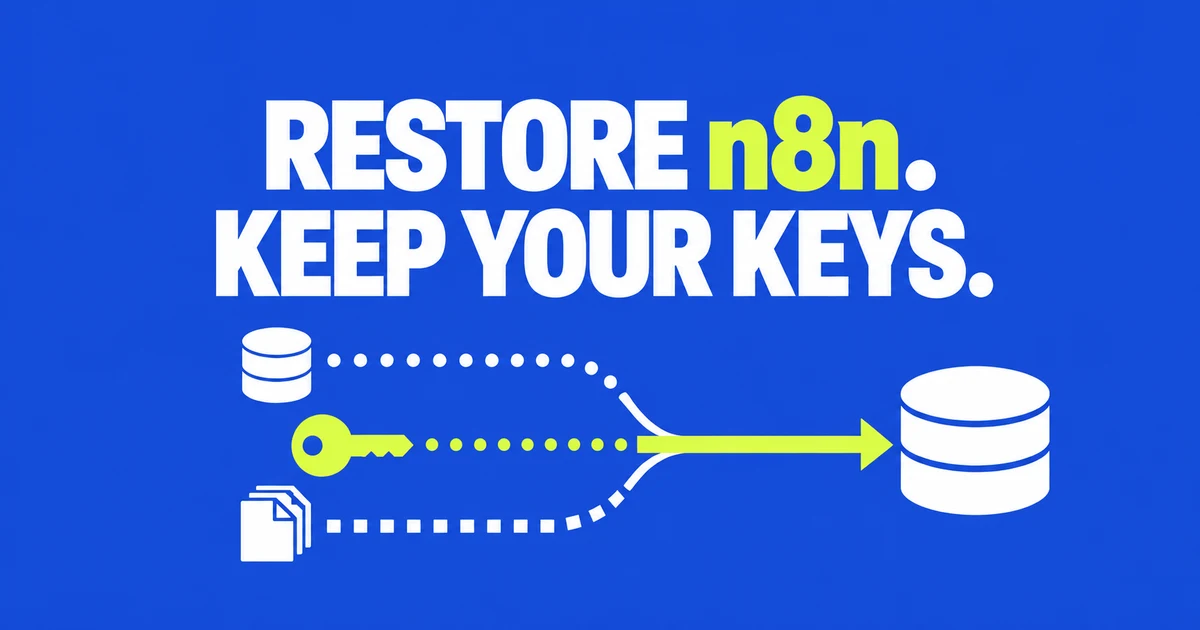
- A recoverable n8n backup needs the database and its original credential encryption key. Add filesystem or external data your workflows depend on.
- Workflow JSON and credential exports are useful extra copies, but they do not reproduce the entire instance.
- Restore into a separate environment and execute a credential-backed node. Seeing workflows in the editor is not proof that their connections still work.
A restored workflow can look perfect while every authenticated request fails. The nodes came back; the key that unlocks their credentials did not.
In a case involving an inherited installation, the operator still had encrypted credentials but could not find the original key. The proposed recovery was to issue new provider tokens and reconnect the workflows. The encrypted credential records remained, but the operator could not use their secrets.
Back up the installation, not just the workflow canvas
| Part | What to preserve | What can break without it |
|---|---|---|
| Database | SQLite state or a consistent PostgreSQL backup | Workflows, credential records and instance data |
| Credential encryption key | The original config key or configured N8N_ENCRYPTION_KEY | Decrypting saved credential secrets |
| Persistent files | The actual n8n user folder and custom file paths | Filesystem-backed data and local dependencies |
| External object storage | Required objects and a recovery route to them | Documents or binary data referenced outside the database |
| Deployment configuration | Image version, environment settings and custom node dependencies | Recreating the same runtime and integrations |
The official backup guide separates the n8n user folder from an external database. PostgreSQL does not make the local folder disposable: the encryption key can still live there.
The key documentation explains that n8n encrypts credentials before saving them. If your deployment supplies the key through an environment variable or secret manager, preserve that value through an approved recovery mechanism. Do not rotate it merely because you are moving the database to another host.
Choose the right database backup method
For SQLite, stop n8n before copying the complete user folder, or use a tool that produces a consistent SQLite snapshot. A normal file copy while the database is changing is not equivalent to a consistent backup.
Find the real storage first. In a container deployment, the path visible inside the container is not necessarily the path you should copy on the host. Inspect the volume or bind mount in the Compose configuration. Include custom paths instead of assuming every installation keeps all data in the default location.
For PostgreSQL, back up the database with database-aware tooling and preserve the n8n user folder separately. A logical dump can be part of a small installation's recovery plan:
umask 077
pg_dump --dbname='service=n8n-backup' \
  --format=custom --file=n8n.dump
This example uses an already configured PostgreSQL service entry named n8n-backup, not a password embedded in the command. PostgreSQL documents pg_dump as a consistent single-database export; roles and other cluster-wide objects need separate treatment. Keep your database provider's restore requirements with the backup.
The right cadence follows the data you can afford to lose. A nightly export leaves everything since that export outside the recovery copy. Choose retention and an off-server location as part of that decision, not after the original machine fails.
Keep CLI exports as an additional recovery option
The Server CLI can export individual workflow and credential records:
n8n export:workflow --backup --output=/secure-backups/n8n/workflows/
n8n export:credentials --backup --output=/secure-backups/n8n/credentials/
The Server CLI documentation describes these administrative commands. Use a destination the n8n process can write to and separate the two output directories. The exports are not a substitute for instance configuration, users, history and the original encryption key.
Container exports must leave the disposable container layer. A file written into an unmounted directory can disappear when the container is recreated. Copy the finished backup to its independent protected location and verify that copy exists there.
Do not add --decrypted to a routine backup merely to make restore easier. Plaintext credential exports create another secret store to protect. A discussion about saving workflows to GitHub quickly raised the more urgent issue: whether credential data would end up in a public repository.
The restore test: a credential had to make a real request
We ran a disposable n8n 2.44.5 installation with SQLite. Its workflow used a saved Basic Auth credential to call a loopback test endpoint. The endpoint recorded whether the expected authorization arrived.
| Restoration case | Credential-backed request | Observed result |
|---|---|---|
| Original installation | Authenticated | Baseline passed |
| Full user-folder copy after CLI processes had stopped; original key retained | Authenticated | Restored workflow passed |
| Same saved database; deliberately different key configured | Not authenticated | n8n reported that credentials could not be decrypted |
| Workflow imported into a fresh installation without its credential | Not authenticated | Workflow execution failed |
The successful case verified more than a JSON export count: the saved credential reached the receiving endpoint after restoration. The test covered a stopped SQLite copy and one Basic Auth workflow. PostgreSQL, OAuth refresh behavior and external file storage require their own checks in the restore plan.
Check file-backed workflows too. The binary-data documentation distinguishes runtime storage modes. A restored database can refer to a file that your backup never copied.
Restore safely before restoring production traffic
- Create a separate recovery environment using the saved n8n version.
- Restore the database, matching key and required files without overwriting the live installation.
- Keep production schedules and webhook processing inactive while checking the copy.
- Open the required workflows and verify their credential references and node availability.
- Run a credential-backed read or a controlled test write, then inspect the receiving application.
- Reconcile events processed after the backup before switching production traffic.
A restored snapshot is an earlier view of the world. Orders written after the snapshot may already exist in the CRM even though the recovered workflow history does not show them. Use source event IDs to distinguish missing work from work that would be duplicated by replay.
For a move between installations rather than full-instance recovery, also check the credential mapping. A backup-workflow discussion exposed why saving both kinds of JSON was not enough: references and imported credential IDs still needed attention.
The backup passes when the restored workflow can perform its intended action—not when an archive command exits successfully. Keep the restore instructions and original key recoverable without depending on the failed machine.