Transferred a Google Drive folder? Its files may still belong to you
A colleague now owns the project folder and can edit everything in it, yet each document still lists you as owner. What does it take to hand over the files themselves?
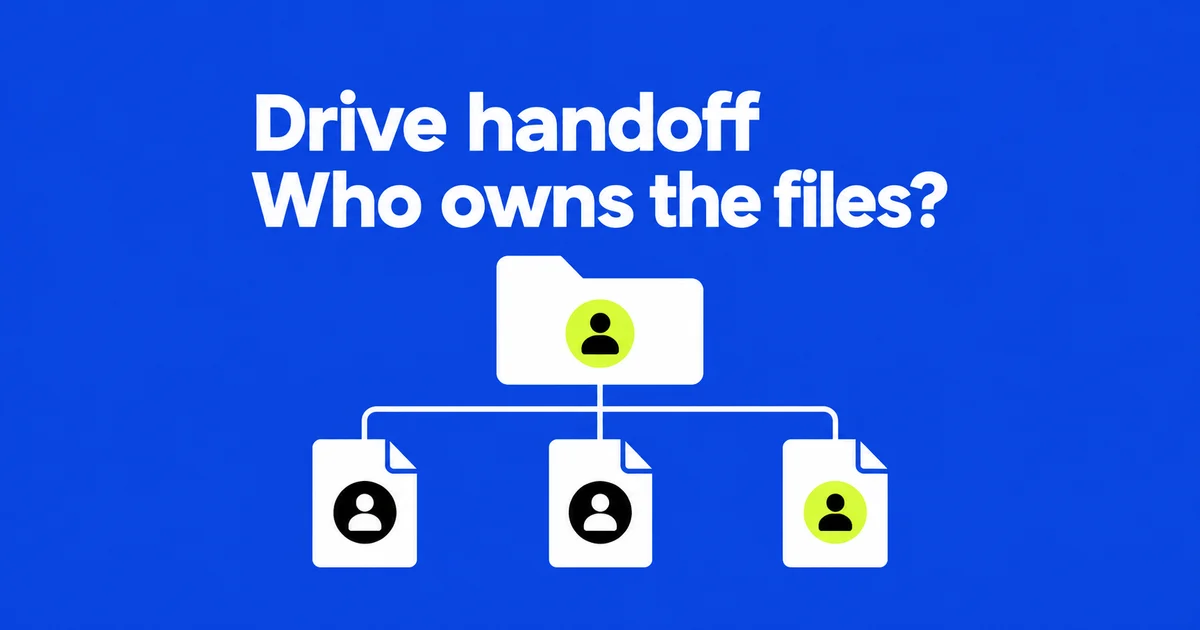
A Google Drive folder transfer stops at the folder. Documents inside it retain their owners, even when the new folder owner can edit them. Google states this explicitly in its ownership transfer instructions. To hand over a project, identify the actual files and the accounts that own them before treating the folder transfer as finished.
A January 2025 Reddit question captures the practical problem: the poster wanted to transfer a folder and everything inside it, without handling requests individually. Sharing access was not their goal. The desktop web workflow below separates sending requests, accepting them, and checking what remains.
Map the documents inside the folder
Editing can work before ownership changes because folder permissions ordinarily flow to the files and subfolders within it. Limited-access folders introduce exceptions, but an editable document is still not proof of a transfer. Google’s sharing guide describes permission inheritance separately from changing an owner.
Consider an illustrative agency handoff. Alex owns a campaign folder and a budget spreadsheet. Priya owns the production schedule. A shortcut points to a photographer’s image folder. Jamie is taking over the campaign.
| Item | After Alex transfers the campaign folder | Remaining work |
|---|---|---|
| Campaign folder | Jamie owns it | Folder transfer is complete |
| Budget spreadsheet | Alex still owns it | Alex transfers the file |
| Production schedule | Priya still owns it | Priya handles any agreed ownership change |
| Photographer’s shortcut | It points to an external original | Jamie needs access to that original |
A Drive shortcut references another item; creating or relocating it does not automatically grant access to the target. Jamie might see its name in the campaign folder but encounter an access request when opening it. The photographer must provide the appropriate original-file access.
The schedule may also stay with Priya if she will continue managing production. Record that decision alongside the document link. A useful handoff identifies who will maintain each working document; it does not require concentrating every collaborator’s files under one person.
Send and accept personal-account transfers
For a transfer between personal Google accounts, open the file’s Share dialog. Add the recipient if it has not already been shared with them. Use the menu beside their name to select Transfer ownership. Include the actual documents in the handoff, rather than assuming the parent folder request covers them.
The recipient can search Drive for pendingowner:me, select one or more relevant files, and accept the ownership request through Share. This provides a place to handle pending items without finding every notification email. Google documents both the sending and acceptance steps in its transfer guide.
Until acceptance, the sender remains the owner. After acceptance, the recipient becomes the owner and the sender becomes an editor. Google’s ownership model documentation explains this consent requirement for consumer accounts. Marking a request “sent” therefore should not mark the document “handed over.”
A pending request can be canceled in the sharing dialog before acceptance. Once accepted, it cannot be undone by canceling that request. Confirm the receiving address first, especially when the same colleague uses a personal account and a company account.
Find what still belongs to the sender
On the sending account, owner:me finds files that account owns. On the receiving account, pendingowner:me finds requests awaiting that person’s response. The syntax appears in Google’s Drive search reference.
Do not treat a plain owner search as a recursive inventory of the campaign folder. It can include unrelated personal documents and other projects. Match results against the handoff list, inspect subfolders, and use document links to distinguish files with identical names.
Alex’s search will not establish whether Priya transferred the schedule, because Alex never owned it. Jamie should check that document separately. For a project assembled by several contributors, a short list grouped by current owner makes outstanding work easier to assign than a count of everything visible in one folder.
A project transfer and employee offboarding have different scopes
Within a Google Workspace organization, an ownership transfer does not wait for the recipient’s acceptance. Individual transfers suit a limited project handoff. When a departing employee’s owned files need a new owner, an administrator can use the broader process in Google’s administrator transfer guide.
The console route is Apps → Google Workspace → Drive and Docs → Transfer ownership. The administrator specifies the source and destination users. This requires the appropriate administration privilege and an active recipient account with Drive enabled and sufficient storage. It is not a folder-only transfer tool available to every employee.
Files in Trash are excluded, so restore wanted material first. Files merely shared with the departing employee belong to other owners and need separate arrangements. Google’s preparation steps include suspending the source account to prevent content changes and asking the recipient not to add files during the transfer. A deleted source account or a litigation hold requires attention to the eligibility rules before proceeding.
A transfer folder appears in the recipient’s My Drive, but it is not necessarily a complete physical collection of everything transferred. Some files in another person’s folder remain there when that folder is already shared with the new owner. Check the completion notification and important documents instead of relying solely on the new folder’s item count.
For the agency example, an admin request should say whether Alex is handing over the campaign or leaving the organization entirely. Include both account addresses and identify Priya’s separately managed schedule. That information determines whether a few file transfers or an account-wide handoff fits the job.
Use a shared drive for work the team will keep
A folder shared from My Drive still contains individually owned files. In a Workspace shared drive, the organization owns the content. Files remain when a member leaves or their account is deleted. Availability depends on the organization’s service and policies.
For a recurring campaign, this can remove the need to pass ownership from Alex to Jamie and then to the next manager. The team keeps the working location and changes membership or roles.
Moving individual files from My Drive requires Contributor access or higher in the destination; moving folders requires Manager access. Source permissions and organizational restrictions also apply. Google’s shared-drive access guide lists these capabilities.
With those permissions in place, drag the file or folder from My Drive to the destination shared drive in the web interface, as described in Google’s moving instructions. If Drive reports items it cannot move, download the item-list CSV and inspect the reasons. Its move limitations explain that some unmovable items can be represented by shortcuts. A familiar folder structure at the destination does not prove that every original moved.
Direct file permissions remain after a move, but permissions inherited from the old parent folder are not copied. More restrictive shared-drive rules can prevent external access. A photographer who previously worked through the campaign folder may need an approved sharing arrangement in the new location.
When the recipient is in another organization
Direct ownership transfer from a personal account to a work or school account is unsupported. Workspace administrators also cannot directly transfer ownership to or from an external account. Adding that account as an editor does not remove the ownership restriction.
Google’s external-transfer alternatives include an organization’s shared drive. If policy and permissions allow it, the external owner can move their own content into the prepared location, making the organization the owner. This requires cooperation from the destination organization; an arbitrary shared folder is not a substitute.
Making copies is another option where permitted and where new working documents are acceptable. A copy has a different URL. Update the project’s reference links and verify sharing on the new files. Do not assume a copy preserves every part of the original’s comments or revision history.
A reusable campaign template may work well as a fresh copy. An ongoing document whose history colleagues still need calls for a more explicit handoff: identify the working version and retain a usable reference to the original where appropriate. Otherwise, one colleague may continue updating the old file while another uses the new one.
Finish from the receiving account
Have Jamie open the budget and schedule using the account that will do the work. Check ownership against the agreed list, complete any pending personal-account requests, and try the required editing. Simply opening a link proves access, not ownership.
Then open the photographer’s shortcut and check that continuing collaborators can reach files moved into a shared drive. If copies were used, replace links in the campaign notes with the new working URLs. Leave those URLs and the responsible people in the handoff record so the next task starts in the right documents.