Intel Arc B580 vs RTX 5060: Is 12GB Worth Choosing Over 8GB?
Your shortlist puts a 12GB B580 beside an 8GB RTX 5060 at nearly the same price. Which fits a 1080p PC today, and what changes if your next monitor is 1440p?
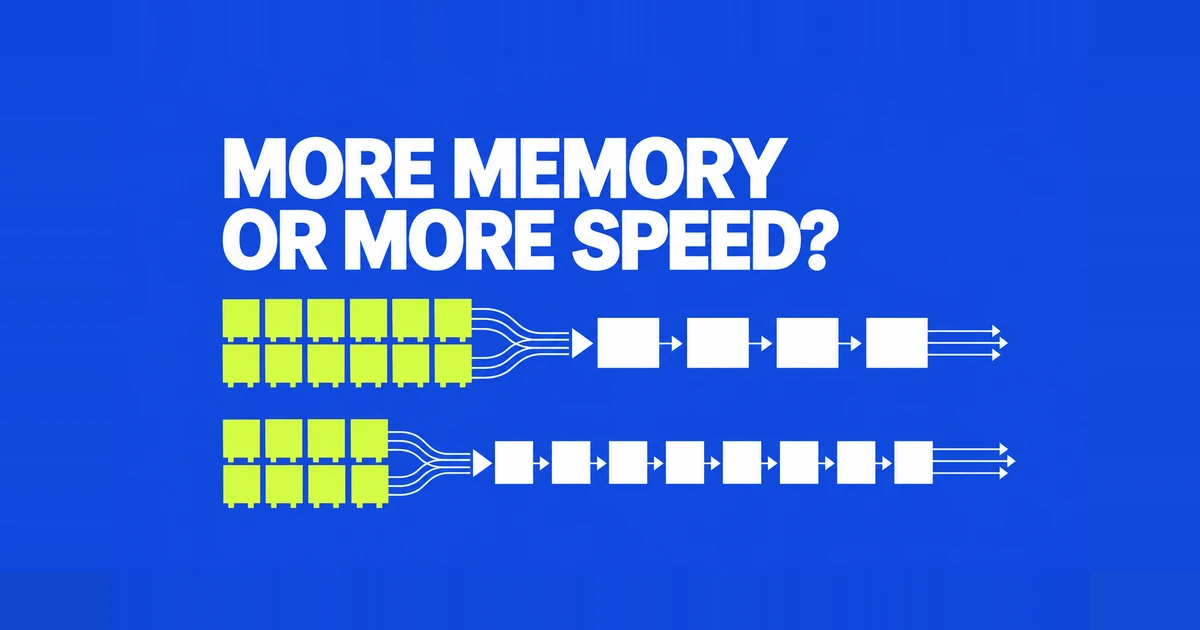
- At similar prices, choose the desktop RTX 5060 for a general 1080p gaming build. The B580's extra memory does not automatically make it the faster graphics card.
- The B580 makes a stronger case with a substantial discount and good results in the games you actually play. For 1440p, compare texture quality and low frame rates alongside the average.
- An older PC adds another buying condition: working Resizable BAR support. For a longer term, high texture 1440p build, compare the cost of moving to a faster 16GB card as well.
The difficult part of buying a budget GPU is deciding which compromise will affect your games. An Arc B580 gives you more memory than an RTX 5060, but these are different processors. You cannot treat the purchase as an 8GB card versus an otherwise identical 12GB version.
My recommendation is the RTX 5060 when prices are close and the PC will run a variety of 1080p games. The B580 becomes more attractive when its discount is meaningful, its performance matches your own games, and the existing computer meets Intel's platform requirements. A possible move to 1440p changes the questions to ask; it does not automatically reverse that recommendation.
Start with the games and the final checkout prices
A useful comparison has two ratios: B580 price divided by RTX 5060 price, and B580 frame rate divided by RTX 5060 frame rate under matching settings. If the price ratio is lower, the B580 delivers more frames per unit of money in that test. This makes a discount measurable instead of relying on the label “better value.”
For example, imagine quotes of 250 and 300 in your local currency. The B580 would cost 83.3% as much. If it delivers only 78% of the performance in your chosen benchmark, the 5060 has the lower cost per frame. Change the B580 quote to 225 and its price ratio falls to 75%, reversing that calculation.
Those are hypothetical quotes, not current retail prices. They also leave room for a hard spending limit. A more expensive card can offer better cost per frame while still being outside your budget. If the cheaper card already reaches your target in the games that matter, the money left over has value that a relative performance chart does not measure.
What the extra 4GB does, and what it does not do
The B580 has 50% more VRAM, yet its memory bandwidth is close to the RTX 5060's. Capacity describes how much data fits; bandwidth describes how quickly data can move. Neither number on its own describes the GPU's complete gaming performance.
| Desktop specification | Arc B580 | RTX 5060 |
|---|---|---|
| VRAM | 12GB GDDR6 | 8GB GDDR7 |
| Memory interface | 192-bit | 128-bit |
| Memory bandwidth | 456GB/s | 448GB/s |
| PCIe interface | 4.0 x8 | 5.0 x8 |
| Specified board power | 190W TBP | 145W TGP |
Sources: Intel's B580 specifications, NVIDIA's RTX 5060 specifications, and TechSpot's interface and bandwidth table. This comparison concerns the desktop 5060, rather than the 5060 Ti or laptop GPU.
Buying the B580 for memory headroom can be reasonable when that headroom solves an identified problem. Buying it because 12 is larger than 8 skips the question of whether the GPU can render the desired effects quickly enough. Likewise, GDDR7 is a memory generation, not a promise that the entire 5060 memory system is faster in every respect.
A 2026 retest gives the 5060 a clear 1080p lead
ComputerBase's May 18, 2026 test used a Ryzen 7 9800X3D, 48GB DDR5-6000, Windows 11 25H2, and enabled ReBAR. Drivers were GeForce 596.21 and Arc 8629. The output resolution was 1920×1080 with DLSS/FSR Quality or XeSS Ultra Quality, rather than native rendering.
| Same test suite, FPS | B580 | RTX 5060 |
|---|---|---|
| Raster average, geometric mean | 69.3 | 89.1 |
| Raster 1% low, geometric mean | 59.0 | 74.5 |
| Battlefield 6 average | 76.4 | 86.6 |
| Borderlands 4 average | 63.9 | 85.2 |
The figures come from the aggregate results and individual game results.
The aggregate frame rate ratio is about 0.78. Applied to the pricing calculation above, that means a B580 costing less than roughly 78% of the 5060 price wins on cost per frame for this aggregate. It is a benchmark specific boundary, rather than a universal fair price for either card.
Notice how much the gap changes between the two individual games. That is why a general recommendation and a recommendation for one game can differ. For a library of many games, the broader result is useful. For a machine built around one favorite, the matching game and settings deserve more weight.
A future 1440p monitor adds a texture question
At 1440p, more memory can become useful without turning the B580 into the faster card overall. TechSpot's May 22, 2025 review had the RTX 5060 6% ahead across 18 games at that resolution. It also documented cases where 8GB cards had texture quality problems despite apparently acceptable frame rates.
Individual games can favor Intel. In GamersNexus's 2025 testing, the cards were effectively tied in Final Fantasy XIV at 1440p, while the B580 led both the average and lows in the rasterized Dying Light 2 test. The original video appeared June 3; the written adaptation is dated July 21.
These results explain why “12GB wins at 1440p” is too broad. They do not form a controlled comparison of driver progress against the 2026 suite: the games, settings, and dates differ. A particular game's memory requirement and the GPU's rendering workload both matter.
If a future monitor is your only reason for favoring the B580, separate that purchase from your current needs. A system used mostly for high frame rate 1080p play today has a different priority from one bought specifically for a known 1440p game at high texture settings. For the latter, look for visible texture quality as well as the average and lows at those exact settings.
An older PC can change the total upgrade cost
Intel's B-Series setup guide calls for Resizable BAR or Smart Access Memory to be enabled for optimal performance. Check the motherboard's firmware support before treating a spare PCIe slot as proof that an older PC is ready.
Intel lists UEFI boot, disabled CSM/Legacy mode, and enabled Above 4G Decoding and Re-Size BAR. Establish the existing Windows boot configuration before changing CSM on an older installation. A Legacy/MBR setup adds a preparation task that a new UEFI system does not have.
There is also a specific CPU exception: Intel notes that Ryzen 8500G systems provide only four PCIe 4.0 lanes to the GPU, restricting performance. A physically long slot does not establish the number of active lanes. The relevant configuration is the combination of CPU, motherboard wiring, and card.
This affects the purchase calculation directly. If a B580 discount disappears into a motherboard replacement, its lower sticker price has not produced a cheaper upgrade. If the existing platform already meets the conditions, no such extra cost applies. That distinction is more useful than declaring Arc suitable or unsuitable for every older computer.
Compare usable features and the complete card
The RTX 5060 supports DLSS, while Intel's B-Series feature page includes XeSS upscaling and frame generation. A comparison that assumes Intel has no frame generation starts from the wrong premise. Availability in your chosen game still matters more than a feature name on the GPU box.
When assessing a comparison video, look for matching output resolution, upscaling modes, textures, ray tracing, and frame generation status. A result with frame generation on only one side answers a different question from a matching rendering test. First establish the game's performance under comparable settings, then assess the extra feature in the configuration you intend to use.
For editing, streaming, or local AI, add your application and plug-ins to that decision. A workflow requiring an NVIDIA GPU is not satisfied by additional Intel VRAM. If the software supports both, the useful comparison is the size and processing time of your actual project, rather than a gaming chart presented as an application benchmark.
Power and physical fit also belong in the quote. Intel's Limited Edition guide specifies a 600W supply with an 8-pin PCIe cable; NVIDIA lists 550W required system power for the 5060. Their 45W difference in board power specifications is not a measured difference in your annual electricity use. Actual workload, idle behavior, and hours of use determine that. Cooler size and noise also depend on the specific partner card.
Which purchase makes sense?
Choose the 5060 first for a mixed 1080p library at similar prices. Choose the B580 when its discount survives the complete upgrade quote and its results meet your games and settings. The additional VRAM is a useful advantage within that decision, rather than a substitute for it.
If your goal is several years of demanding 1440p games at high texture settings, widen the comparison before committing to either. A faster 16GB option changes both rendering performance and memory capacity. The next relevant comparison is RX 9060 XT versus RTX 5060 Ti with 16GB, priced against your actual budget.