Ryzen 9950X Air vs 360mm AIO: Cooling, RAM and Case Fit
Your case lists 170mm of cooler clearance, but your DDR5 sticks are 44mm tall. Will a dual-tower cooler fit, or does a 360mm AIO create a different clearance problem?
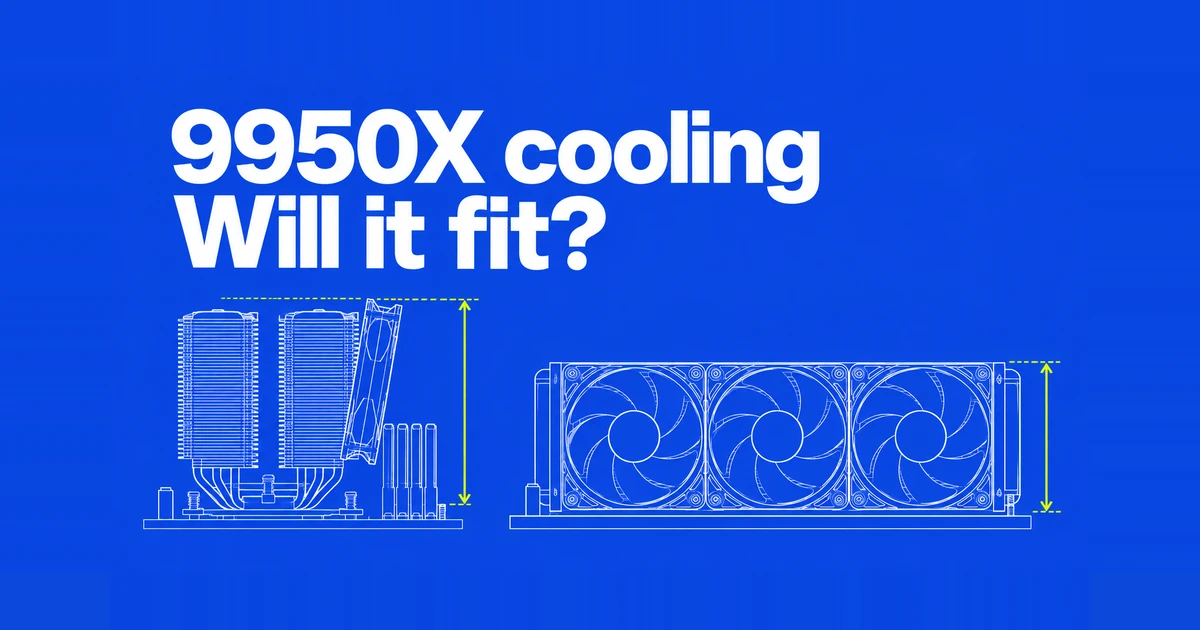
- A 360mm AIO is the stronger starting point for a new Ryzen 9950X workstation built around sustained CPU rendering. A large air cooler remains a candidate when avoiding pump noise or reusing existing hardware matters more.
- The NH-D15 G2 is 168mm tall in its standard configuration, with 32mm RAM clearance under the front fan. Taller memory changes the case clearance calculation.
- The regular Liquid Freezer III 360 product page lists a 398×120×38mm radiator; its official drawing gives a 66mm radiator-and-fan assembly height. Match that assembly to the case and allow room for tubes and nearby components.
If your existing dual-tower cooler already delivers acceptable render times and noise, a Ryzen 9950X upgrade does not automatically justify replacing it. For a new machine running long CPU renders, however, a suitable 360mm AIO offers a stronger case: more cooling headroom under sustained load. The buying decision then becomes whether that cooler fits your case, memory and graphics card together.
The examples here use the Noctua NH-D15 G2 family and the regular ARCTIC Liquid Freezer III 360. Specifications were checked on October 30, 2026. Results for the Liquid Freezer III Pro, a different radiator size or a Ryzen 9950X3D belong to different configurations.
Start with the job the CPU will actually run
AMD lists the 9950X as a 16-core, 32-thread processor with a 170W default TDP and a 95°C maximum operating temperature. It ships without a cooler. AMD recommends liquid cooling for optimal performance.
That recommendation supports spending on cooling for sustained CPU workloads. It does not say that an air cooler cannot be used. Equally, an air-cooled system booting successfully does not establish that it matches an AIO's temperatures or sustained performance. A workstation that spends hours on CPU rendering asks a different question from one that briefly loads the CPU between GPU tasks.
Keep the power configuration attached to each result. A processor's default TDP, a review's fixed heat load and total wall power describe different things. Changing motherboard power limits while comparing coolers also changes what the comparison measures.
What the cooling tests establish
GamersNexus tested the G2 in 2024 against the regular Liquid Freezer III 360. Its AMD 200W comparison with noise normalized put the AIO at 47.3°C above ambient, a 7.9°C advantage over the G2 comparison result. Those are temperature rises above room temperature, rather than absolute CPU readings.
This establishes a cooling advantage at that heat load and matched noise level. It is not a direct 9950X comparison, and it supplies no percentage improvement in render time for this processor.
For a direct 9950X air-cooling example, Tech4Gamers tested the NH-D15 G2 chromax.black using a 20-minute Cinebench R23 loop after warm-up, including noise-normalized testing at 40dB(A). Its conclusion places the cooler about 6°C behind the best liquid cooler in its chart at the stock 170W TDP setting. The named comparison is to that chart's best liquid result, not a stated 6°C gap to the regular Liquid Freezer III 360.
Together, these results support choosing a large AIO for thermal headroom, while keeping the air cooler in consideration. They do not establish a universal temperature or performance difference for every 9950X system. For an owner considering replacement, project completion time is the useful missing measurement.
A 168mm air cooler can outgrow a 170mm case limit
The NH-D15 G2 specification gives a total height of 168mm and two 140mm fans. The separate memory clearance explanation specifies up to 32mm under the front fan in its standard dual-fan position. Using taller memory involves raising that fan or changing the configuration.
Consider a hypothetical build with 44mm memory. That is 12mm above the standard front-fan allowance. Raising the fan by the same amount gives a rough total height of 180mm: 168 plus 12. A 170mm case specification no longer clears the assembly on that calculation.
This is a dimensional example, not a fit test for a particular case. Check the exact RAM model and cooler compatibility information before buying. Running the cooler with only its center fan gives at least 59mm of memory clearance, according to Noctua, but also changes the cooling configuration. Dual-fan review results no longer describe it exactly.
For a new build, lower-profile memory is another option. Compare the combined choice of RAM, cooler and case rather than paying for tall memory first and solving the resulting clearance problem afterward.
A 360mm mount does not specify the whole radiator envelope
| Fit question | NH-D15 G2 | Regular Liquid Freezer III 360 |
|---|---|---|
| Main dimension | 168mm standard height | 398×120×38mm radiator |
| Height including fans | 168mm before raising the front fan | 66mm assembly in the official drawing; tubes and nearby components need separate clearance |
| Memory interaction | Front fan above the DIMMs | Top-mounted radiator/fans near RAM and VRM heatsinks |
| Other space to check | Side panel, board and GPU layout | Fan thickness, tubes, cables and GPU length |
| AM5 support | Yes | Yes |
ARCTIC's product specification lists a 38mm radiator thickness. Page two of its dimensional drawing labels the fans as 25mm thick and separately marks the radiator-and-fan assembly height as 66mm. The two component thicknesses add up to 63mm, but the assembly dimension is the relevant value for a case's thickness limit. Tube routing and clearance around cables and nearby components still require additional space.
A hypothetical case allowing 65mm at the roof therefore fails the assembly-height check even though the 63mm sum appears to fit. The product page also lists a 398mm radiator length, while the drawing, revised January 31, 2024, shows 397mm. Keep those source labels separate when checking the exact product's compatibility; neither is a measurement of a unit in your hands. “360” describes the radiator class, not its external length.
For a top mount, compare the assembly with the space above the motherboard, including tall RAM, VRM heatsinks and the CPU power cable. For a front mount, account for the space taken away from the graphics card. A case that supports a thinner 360mm assembly does not automatically establish clearance for this one.
Use the case's documentation for the intended mounting position. Moving an AIO from the roof to the front solves one fit problem only if the card and tube routing still work. The relevant purchase is the complete arrangement.
Choose the G2 base for AM5
The standard, LBC and HBC versions are different base shapes, not progressively faster tiers. Noctua's platform guide identifies the standard model with offset mounting and the LBC model as suitable AM5 choices. HBC primarily addresses a different contact situation associated with LGA1700.
The AM5 offset mounting shifts the cooler toward the processor's off-center core location. Someone who already owns the standard G2 therefore has an appropriate option without buying an LBC merely because the new processor uses AM5. For a used cooler, include missing mounting hardware or fan clips in the reuse cost.
Listen at idle and under load, then choose the controls
A matched-noise load test answers how much heat a cooler handles for a given sound level. It does not capture every sound you hear beside the desk. Pump noise is another source, particularly noticeable when the rest of the system slows down. Noctua's air-versus-liquid guide makes this distinction between high-load cooling and sensitivity to pump sound during lighter work.
An air cooler also has a different replacement path: its fans are separate from the heatsink. That is useful for an owner prioritizing reuse. It does not establish a failure rate or make full-speed fans inaudible.
The Liquid Freezer III manual offers an all-in-one PWM connection or individual control using three motherboard headers. Separate control lets the pump, VRM fan and radiator fans receive different PWM signals. Budget the available headers as well as physical space.
ARCTIC also notes that the reported pump speed is 50% higher than its actual speed: a 1500rpm reading represents 1000rpm. Follow its PWM-mode instruction when configuring headers, and keep that reporting behavior in mind when interpreting monitoring software.
Buy for the complete workstation
Radiator placement affects both major heat sources. A top exhaust uses air already inside the case; a front intake supplies outside air to the radiator and then passes warmed air inward. Noctua's placement guide explains the CPU/GPU tradeoff. For mixed CPU and GPU workloads, evaluate the arrangement with both components working.
For a new 9950X build dedicated to long CPU jobs, choose a suitable 360mm AIO once its mounting clearance is established. For a pump-free desktop, choose a large air cooler with RAM and side-panel clearance to match. If an existing cooler already meets your targets, compare the same project, power settings and room conditions before replacing it. Record completion time and sustained noise alongside temperature. That ties the purchase to the work you are waiting to finish.