iPhone Duo App Readiness: What to Check After Rebuilding
Your app now builds against the iOS 27.1 SDK and fills the whole iPhone Duo display. What still needs testing before the April 2027 screenshot requirement?
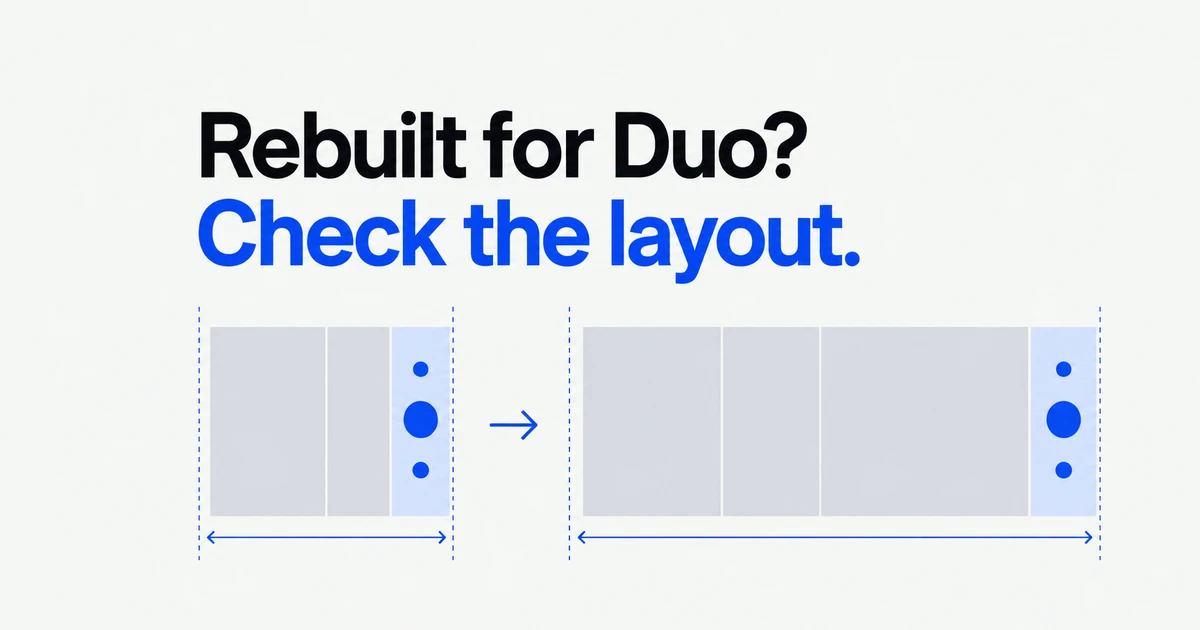
- Existing apps run on iPhone Duo; builds using iOS 27.1 or later SDKs can use the full display.
- Test resizing and asymmetric safe areas after rebuilding. A successful compile does not validate every layout.
- The screenshot specification sets an April 2027 requirement for apps using the iOS 27.1 SDK or later.
Running on Duo is only the starting point
With iPhone Duo’s announced October 23 availability, app teams have two separate jobs: keep the app working and make use of its changing display space. Apple’s October 5 developer notice recommends rebuilding with Xcode 27.1 and checking poses and orientations in Device Hub.
The preparation guide distinguishes three SDK behaviors:
| Build SDK | Display behavior |
|---|---|
| iOS 26 or earlier | Runs with surrounding empty space when unfolded. |
| iOS 27 | Uses most of the inner display, avoiding the right-hand status-bar area. |
| iOS 27.1 or later | Uses the full display; toolbars and tab bars can become vertical. |
More available space changes the conditions under which your existing layout must work.
Measure the app’s space, not an assumed device
Apple recommends replacing calculations based on UIScreen.main.bounds with view or window dimensions. SwiftUI options include GeometryReader and onGeometryChange. Reading the size only at launch misses layout changes when the user folds the device during an active session.
Also inspect orientation-driven layout decisions and code that equates regular width with an iPad. An expanded Duo layout is still an iPhone app. The App Resizability skill can help find problematic patterns, but Apple explicitly says it will miss some issues.
Check both sides of an asymmetric layout
Apple’s app-preparation Tech Talk recommends adaptive navigation such as SwiftUI’s NavigationSplitView or UIKit’s UISplitViewController.
Keep interactive foreground content inside the safe area, while letting backgrounds extend where appropriate. Do not assume equal left and right insets. Vertically arranged controls can appear on either side of the app.
Use Device Hub to open, close, rotate and fold the simulator. On the inner display, place the app on each side of Split View. A single attractive screenshot cannot show whether controls remain reachable through those transitions.
Prepare assets for both displays
The App Store Connect screenshot specification lists these accepted Duo image dimensions:
| Display | Portrait | Landscape |
|---|---|---|
| Outer | 1398 × 2034 pixels | 2034 × 1398 pixels |
| Inner | 2007 × 2853 pixels | 2853 × 2007 pixels |
It states that Duo screenshots become required in April 2027 for apps using the iOS 27.1 SDK or later. Submitting Duo screenshots currently adds an optimization badge to the product page.
App Store Connect’s preview tool also shows how screenshots and other page assets appear on Duo. Complete the layout work first so the submitted assets reflect the experience customers will receive.
FAQ
Will an app built with an older SDK stop running?
No. Compatibility remains, but the available layout differs from a build using newer SDKs.
Does the optimization badge replace layout testing?
No. The badge is associated with submitting Duo screenshots. Resizing and safe-area behavior still need testing.
Rebuild, remove fixed assumptions, test the changing layout, then prepare matching store assets. Compilation is the beginning of Duo readiness.